 Anilili
v0.1.47
Anilili
v0.1.47
Anilili
v0.1.47
Anilili
v0.1.47
An ad-free, open-source streaming app with 20+ sources, automatic fallback, offline downloads, full TV remote navigation, and AniList sync.
Built completely native with Jetpack Compose. Fast, responsive, and lightweight.
Streams resolve instantly across Miruro, Senshi, KickAssAnime, AniBD, AllAnime, and more with intelligent automatic failover.
Filter servers by audio track or subtitle language. Access Hindi, French, Spanish, or English dubs instantly.
Save full episodes with subtitle tracks directly to your storage for offline playback wherever you go.
Purpose-built leanback interface engineered specifically for Android TV and Fire TV sticks with D-pad navigation.
Keep your watchlist updated effortlessly. Anilili auto-tracks and writes episode progress back to your accounts.
Automatically skip openings and endings with precise crowd-sourced timestamps powered by AniSkip.
Clean, distraction-free navigation optimized for both touchscreens and remotes.
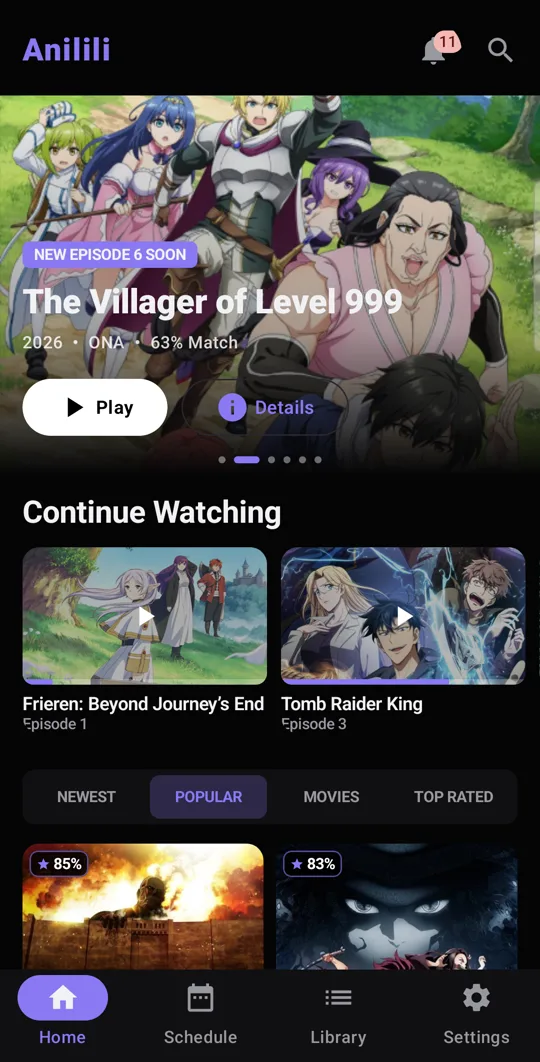
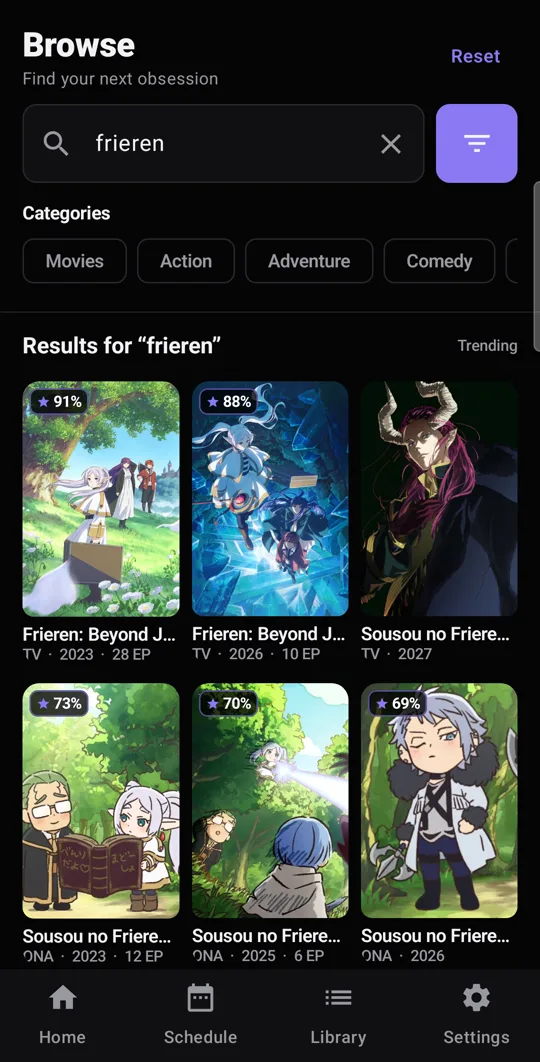
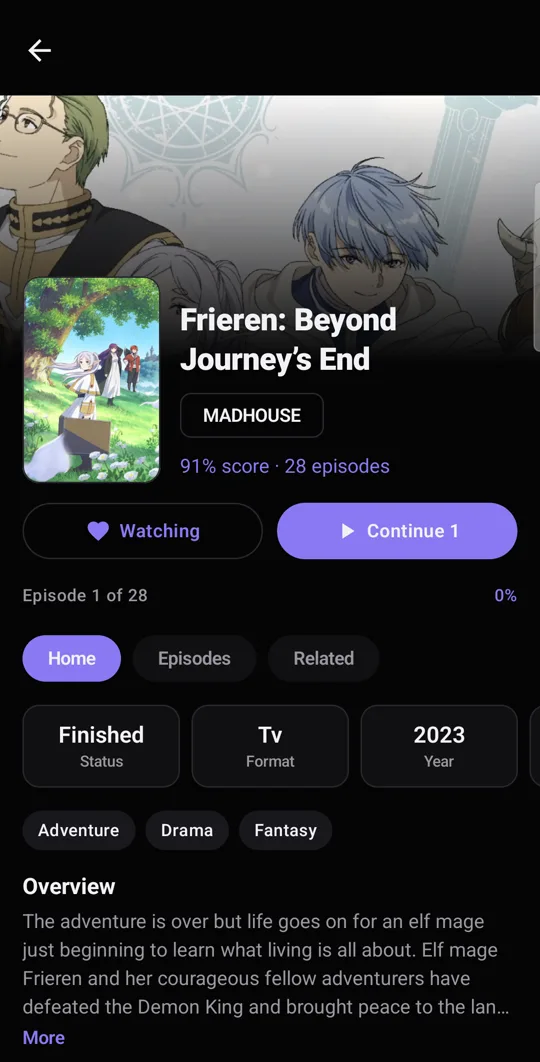
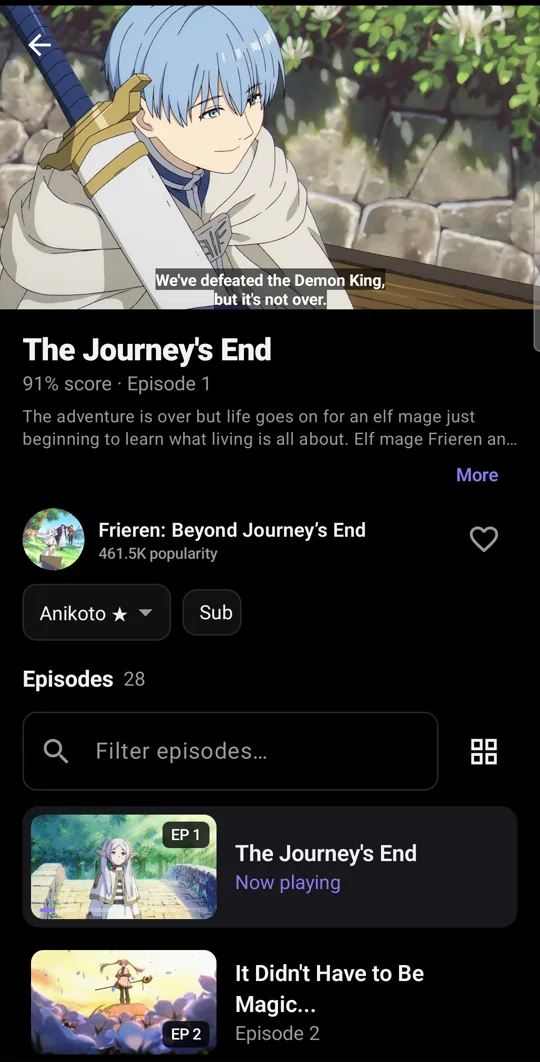
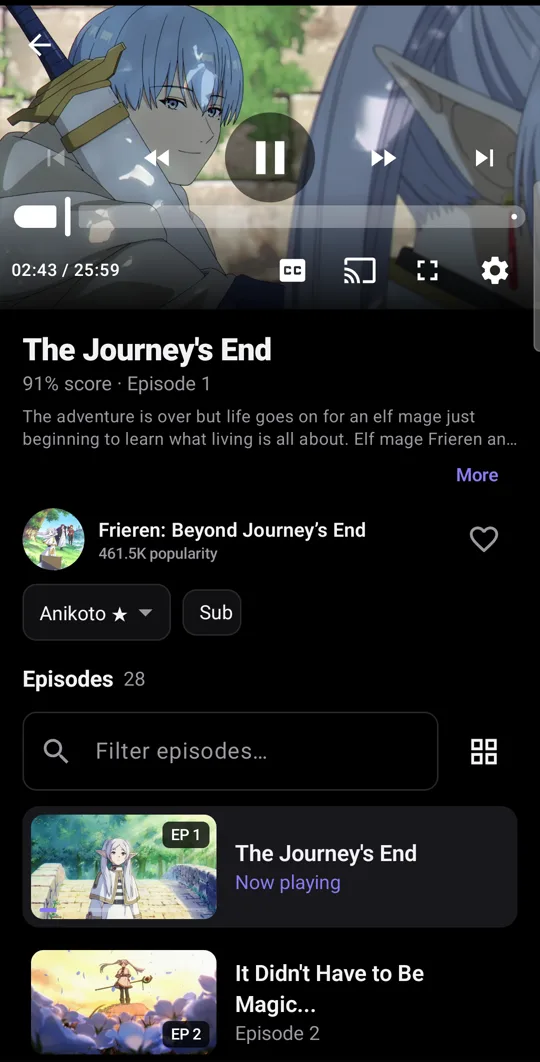
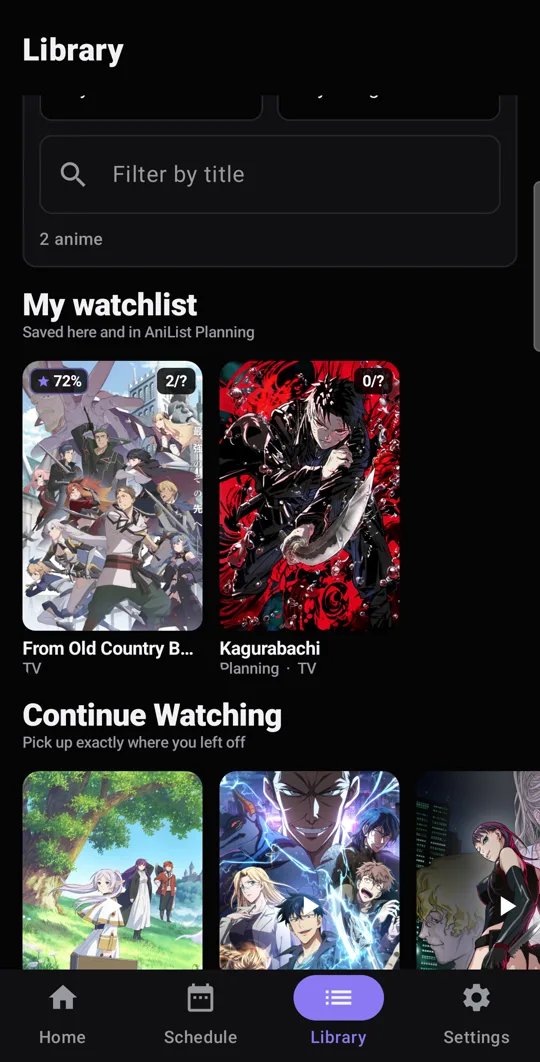
Safe, signed, and ad-free. Built-in auto-updater included.